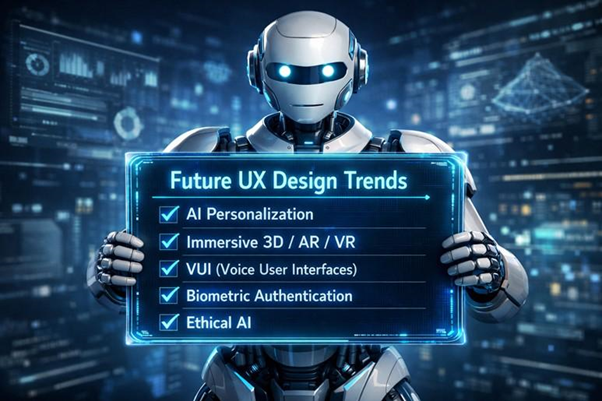
User Experience design trends of the future point to AI driven personalization, immersive 3D, voice user interface, and more …
Introduction
User experience (UX) design is transforming, and the future trends that shape the process are AI personalization, immersive 3D/AR/VR, and several other functionalities. The trends indicate a design for user needs and behavior approach, while addressing pain points and intuitive journeys.
The market size of USD 9 billion in 2026 n 2026 will expand to USD 77 billion in 2034. Several new AI tools help UX design be more effective, deeper, meaningful, and satisfactory. AI will be a major assistant to UX designers, and the basic tasks in the workflow will be automated.
This blog examines effective UX design tools and trends that are shaping the future of user experience. The findings will help UX designers and project managers to prepare for future challenges.
Future tools for UX design
UX design tools are being adapted for future UX design. Let us look at the tools.
-
Generative design and prototyping: These tools use generative AI for UX design and prototype development. Trending tools are Uizard, V0.dev, Loki Build, Spline, and others.
-
User research: These tools help in gaining user attention and behavior insights. Popular tools are Attention Insight, Claude, and Maze AI.
-
Workflow automation and customization: These tools automate manual and repetitive tasks. Trending tools are Figma, Khroma, and Midjourney.
-
Neumorphism, Glassmorphism, and Dynamic UI: These tools help in AI personalization. Popular tools are Neumorphism.io, FrontendGeek Neumorphism Generator, Themesberg, and others.
9 Effective UX Design Trends that are Shaping the Future of User Experience
The future trends are adaptive, predictive, immersive, inclusive, and sustainable. Several UX design trends are shaping the future of user experience. Let us look at these trends.
1. AI-Driven Personalization:
The AI personalization feature provides personalized content, recommendations, and interactions live based on user behavior. The process increases user engagement and retention, and reduces pain points in the user journey or experience in using a site.
Examples are e-commerce sites and streaming platforms that use machine learning and algorithms to understand customer behavior and present appropriate suggestions. Predictive UX will anticipate visitors' needs as they open a site.
Interfaces will be adaptive and auto-adjust layout, content, and navigation based on user behavior patterns. The UX will be integrated with LLMs for accurate rendering.
2. Voice User Interfaces:
The voice user interface feature is a future UX trend where users give instructions to devices, apps, and services with conversational voice commands. The technology shows a movement for natural, human interactions to complete tasks.
Examples are Siri, Alexa, Google Assistant, IVR banking, Android Auto, Kindle Read Along, and other hands-free interactions useful for the physically challenged. Several chatbots and AI assistants are moving towards natural language processing that combines voice and visuals.
As AI advances, conversational UX will replace standard clickable menu interfaces, leading to convenience, hands-free productivity enhancement, and voice-activated note-taking in healthcare.
3. Micro-Interactions:
The micro-interactions in UX design are small, single-purpose, functional interactions in a digital interface to give quick context-aware feedback and reactions. The static interface is turned into intuitive, conversational experiences and enhances the brand personality.
Examples are animated reactions when users click an icon, button hover effects like changing colors, and interactions triggered by scrolling. They show a relationship between icons, screen functionalities, and give visual cues.
Trends indicate benefits for feedback clarity, enhanced usability, and precise brand identity. Overuse is distracting, slows loading time, and is annoying. The workflow of triggers, rules, feedback, and loops must be synchronized.
4. Minimalism:
The minimalism feature is about keeping the design simple without heavy elements, for clarity, simplicity, and easier navigation. Cognitive load is reduced, and limited but accurate choices are provided with clean typography.
Examples are seen in some apps that have clean white spaces, preventing distraction, reducing clutter, and the layout has a purpose. User attention is gained and directed at the tasks and elements that are not bundled.
The approach of less is more is to increase the value of strategic elements on the UI. Load times are faster, users quickly find what they need, and key functionalities are not obscured.
5. Adaptive Themes:
The adaptive themes feature is customized layouts for screens that identify devices and present an optimized layout for specific screen sizes. The functionality has several layout sizes that enhance performance, use dark mode, and reduce eye strain.
Examples are JS and CSS HTML markups for screen widths such as 3200, 760, 1600 pixels available for mobiles, tablets, laptops, and desktops. Since only essential elements are displayed, loading times are fast, and performance is enhanced.
Adaptive UX design allows for specific breakpoints that stretch and shrink, and matches ambient lighting. User engagement and experience are enhanced.
6. Immersive AR and VR:
These features use interactive 3D spatial interactions and digital elements with VR and AI. Design moves from 2D to 3D screens, with natural gestures, sensory engagement, and spatial awareness.
Examples are simulated environments in virtual training, gaming, virtual tourism, and IKEA furniture placement, viewed through VR headsets and mobile devices. These features increase engagement, realism, purchase confidence, and provide variety in brand experience and entertainment.
Gaze, voice, and hand gestures allow immersive experiences for users in a virtual 3D environment. Applications are in the aero, real estate, education, and healthcare sectors. 3D assets require higher net speeds and appropriate SEO.
7. No-Code and Low-Code UX Prototyping:
The no-code and low-code UX technology uses drag/ drop interfaces to experiment with UI design by non-technical people. Doing away with coding, helps in rapid prototyping that can be developed into full UIs.
Examples are seen in creating MVPs, landing pages, with tools such as Webflow, Bubble, Glide, Adalo, Mendix, OutSystems, Appian, Wapple, Figma, and several others. Designers, product managers, and UX researchers can focus on functionality and UX rather than on programming.
This feature helps in quick iterative development from design to prototype development. The models developed are high fidelity, realistic, functional, and cost-effective.
8. Emotional Design and Human-Centered UX:
The human-centered design feature gives importance to human needs, emotions, and behaviors in the UI design. The solutions are accessible, meaningful, intuitive, and users like them.
Some examples of human centered UX design are Airbnb, Netflix with reducing cognitive load, Venmo, Duolingo, and Uber. Human-centered UX follows a structured method of research and discovery, ideation, prototyping using no-code tools, and implementation.
The main principles are empathy, contextual understanding, inclusivity, and accessibility, using an iterative process. Prototypes can be built fast, with low coding, tested, and deployed with less time than full development.
9. Data-Driven UX:
The data-driven UX trend uses qualitative and quantitative user data to create UI designs. User behavior, clicks, heatmaps, and conversion ratios are used to develop personalized UIs that have enhanced usability.
Examples of data-driven UX design are Spotify's user list and Airbnb's designs for travel plans. The trend uses personalized algorithms, A/B testing, behavioral search and filters, heatmap, and click stream analysis.
The advantage of data-driven UX is that it uses real user behavior and not intuition and assumptions. A larger research sample is needed to make the design robust.
Despite these exciting advancements, UX design challenges such as ensuring accessibility, maintaining simplicity, and keeping up with rapid technological changes continue to test designers' ability to create effective, user-friendly experiences.
Conclusion:
The discussion and analysis on 9 effective UX design trends that are shaping the future of user experience. UX design includes AI to power and shape UI design to make the designs more effective, increase usability, and enhance customer satisfaction.
Several trends such as AI personalization, voice user interfaces, minimalism, immersive AR and VR, and others highlight the focus and advances in understanding UX. No code and low code tools allow non- developers to help in rapid prototyping. It is clear that these trends are poised to make the customer journey smoother.
Author: Harikrishna Kundariya
Harikrishna Kundariya, is a marketer, developer, IoT, Cloud & AWS savvy, co-founder, and Director of eSparkBiz, a Software Development Company. His 15+ years of experience enables him to provide digital solutions to new start-ups based on IoT and SaaS applications.